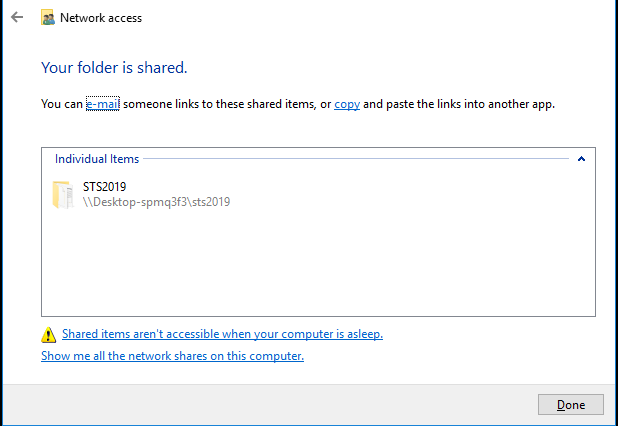
How to share the KIS Desktop from server to workstation
The objective of this article is to walk you through on how to share the software from your server to a workstation.
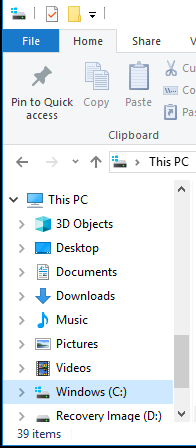
- Open the File Explorer Folder and click on the Windows (C:) folder.
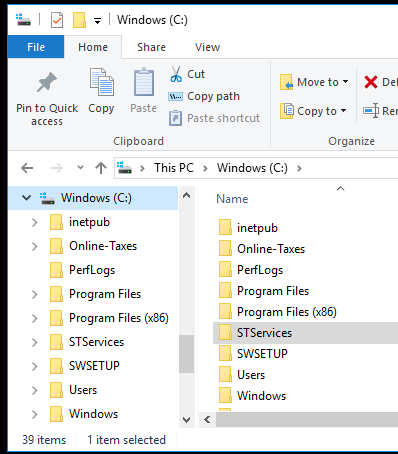
- From the Windows (C:) folder select and open the STServices folder
- Right click on the name of the software year you wish to share to bring up the menu, for example STS2019.
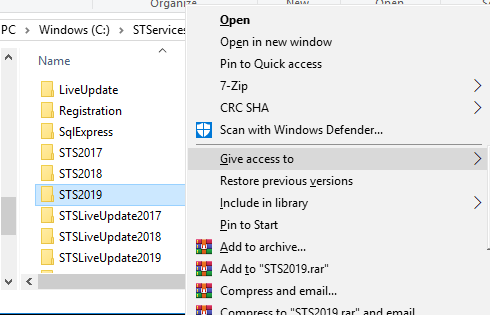
- Select GIVE ACCESS TO or SHARE WITH and from the drop-down menu select SPECIFIC PEOPLE.

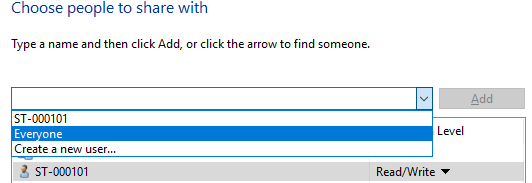
- The Network Access window will open and from the drop-down box select EVERYONE and then click the ADD button.
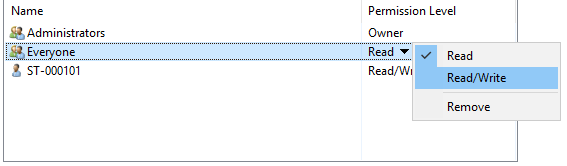
- You will see EVERYONE is added to the list of names underneath and the Permission level will be Read. Click on the down arrow next to Read and select READ/WRITE.
- Click SHARE.
- Finally click DONE once the file has been shared.